Forgot your password?
Resetting your password
If you need to reset your login password please follow these steps.
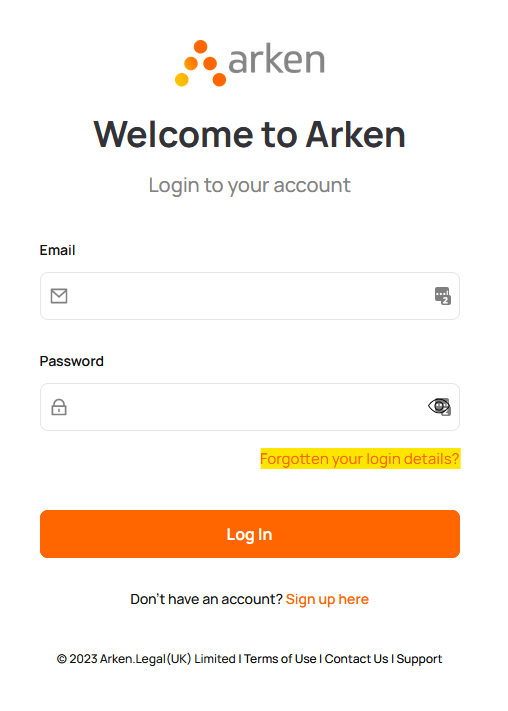
1. Go to the login page and select 'Forgotten your login details?' button.
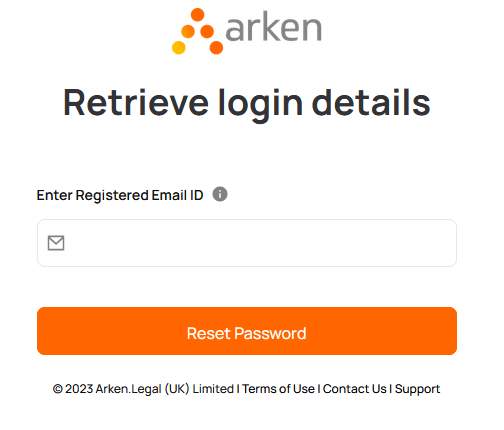
2. Enter your email address and click 'Reset Password'
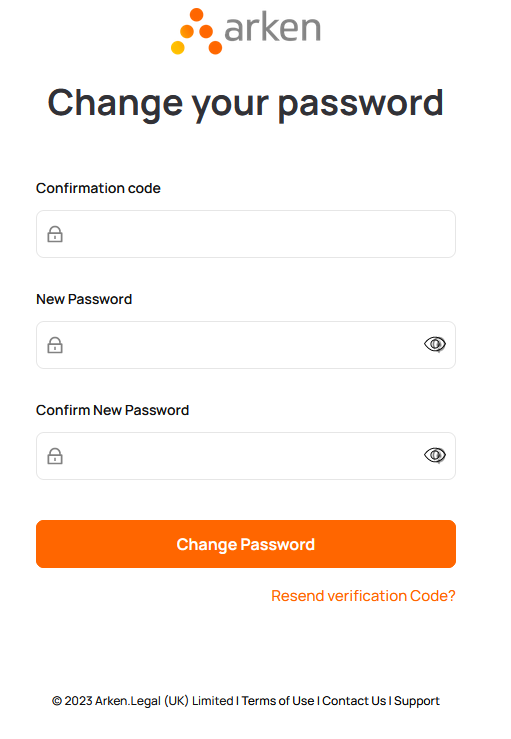
3. This will then ask for a confirmation code, this will be sent to your Log in email address. Please enter the confirmation code and a new password, then click 'Change password'. This will prompt you to log in again with your new password.
I still cannot access my account
If you are still having trouble accessing your account, please contact support at support@arken.legal or call us on 01732 867792
Related Articles
Logging in
Login to Arken Logging in to Arken is very straightforward. To log in just click on the 'login' button in top right of the page on arken.legal. Enter your email address and password and click 'Log in' First time logins If this is your first time ...Finding your way around the Arken Dashboard
Here are some tips on navigating around within the Arken Dashboard Arken Dashboard: When you log into Arken you wll be greeted with the Dashboard, it will look something like the below: This is a hub where you can access all your Arken products, ...